- Money-back guarantee
- Stripe checkout
- For B2B & B2C
- Your own mailbox
Overdue invoice reminder software for your own mailbox
We chase.We read the replies.You decide.
Keep overdue invoices, reminders and replies in one workflow. Payment promises pause follow-ups; disputes go to your team. You choose which emails go automatically and which need approval.
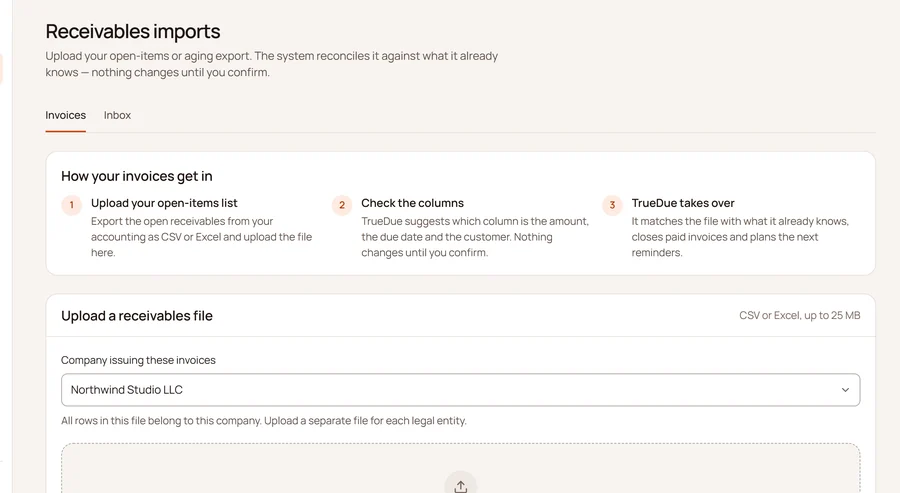
CSV and Excel exports from your accounting system
How it works
Four steps. TrueDue does three of them.
Automated collections: payment reminders from your own mailbox. From open invoice to money received, working from the figures in your accounting software. Every screen below is the real application.
Export your open-invoices report from QuickBooks, Xero, FreshBooks or any other system and upload it, or email it to your import address. Each new import updates what is there and never creates duplicates. Lexware Office (Germany) connects directly.
- QuickBooks · file or email
- Xero · file or email
- FreshBooks, Zoho · file or email
- Lexware Office · direct
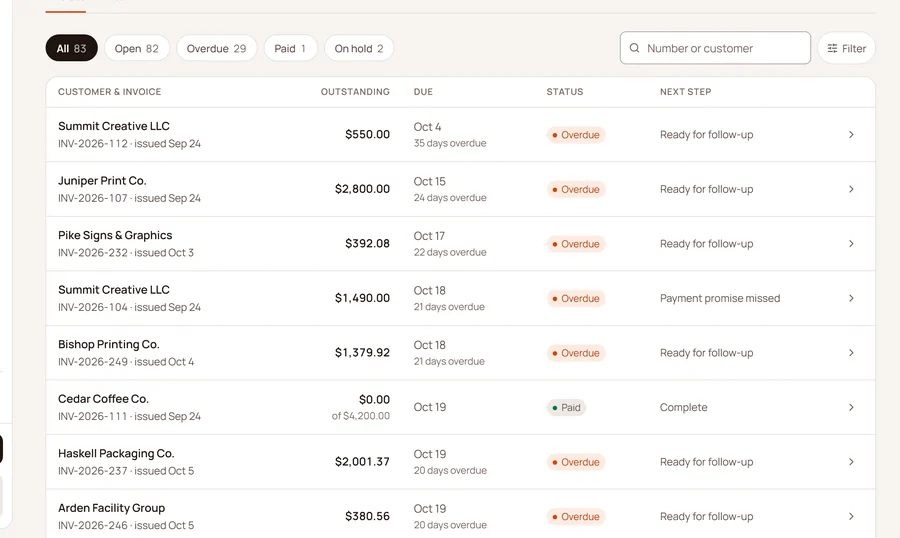
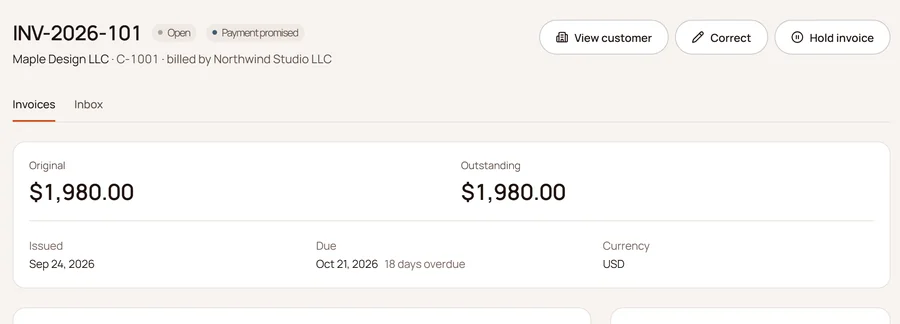
Every invoice with its balance, due date and days overdue, grouped by customer. You see at a glance who is late, by how much, and what happens next.
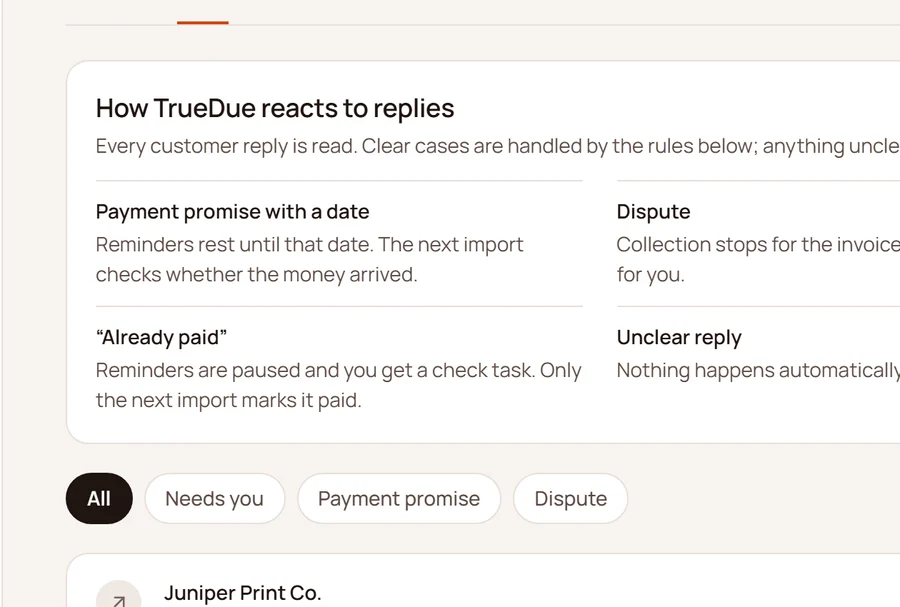
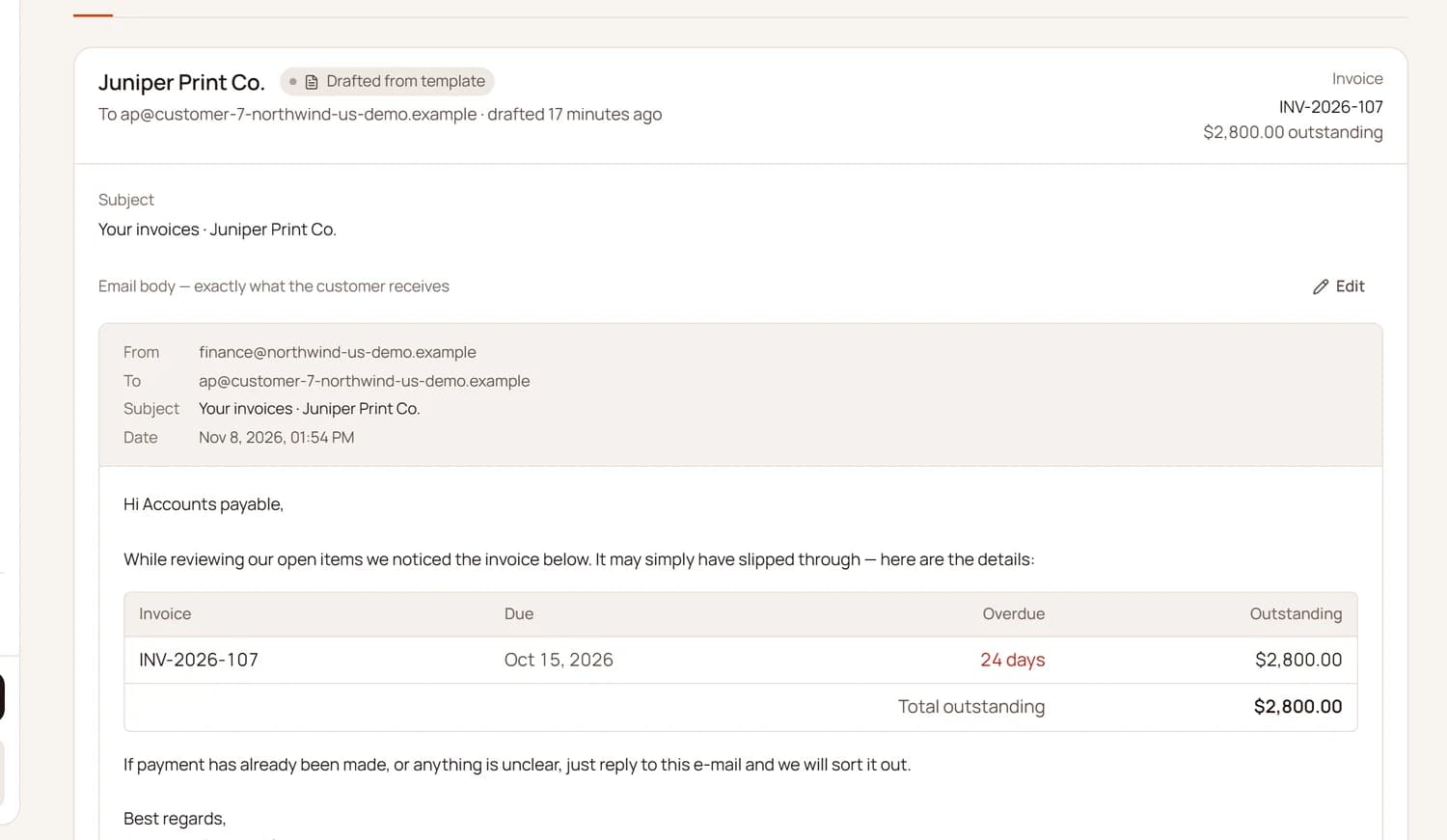
Friendly reminders go out from your own mailbox, automatically or only after you approve them. When a customer replies, TrueDue reads it and sorts it: payment promise, dispute, out of office or “already paid”. A dispute holds reminders for that invoice.
- Approval
- Automatic
When the next import shows the invoice at a zero balance, TrueDue closes it and schedules nothing further. Once a payment shows up in your data, no further reminders go out.
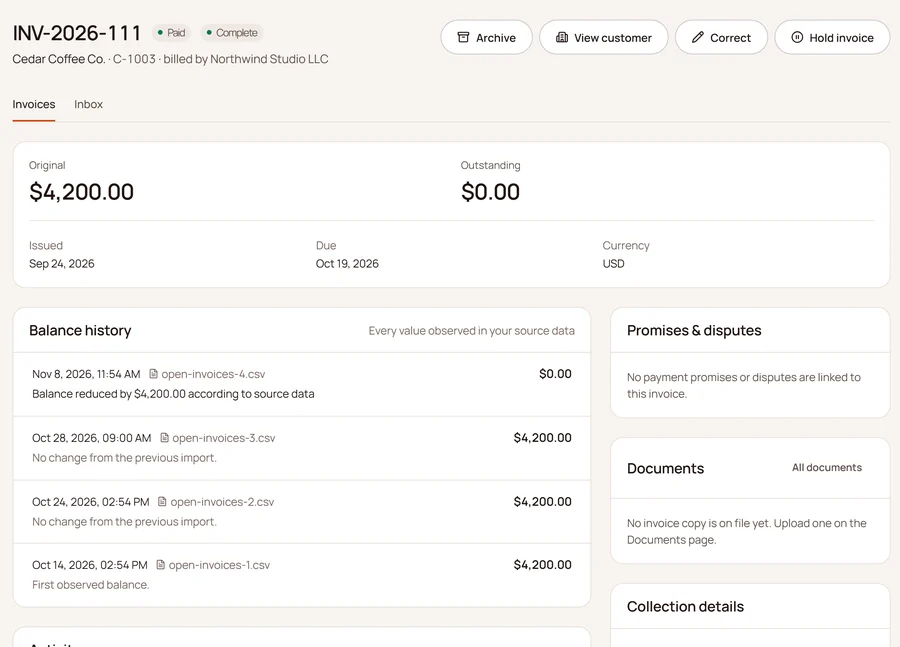


If no fresh data arrives for 48 business hours, sending pauses. Export open invoices and their history as CSV or Excel at any time.
New
Connect your accounting instead of uploading files.
With Lexware Office, TrueDue fetches open invoices directly. Paid invoices stop the reminders on their own. Set it up once:
- 1
Paste the API key from Lexware Office
- 2
Test the connection
- 3
TrueDue fetches open invoices every three hours, no file needed
What TrueDue takes off your plate
TrueDue does the work that starts after the reminder.
Reads the replies
Every reply that reaches your connected mailbox is read and sorted. Anything unclear comes to you.
Payment promise foundSpots what is paid
Matching against your books ends the reminders as soon as it shows the invoice as paid.
Reminder stoppedRespects disputes
When a customer reports a problem, reminders for that invoice hold until you have sorted it out.
Collection on holdFrom your own mailbox
Reminders come from your own address. Replies land where you expect them.
From: [email protected]You set the pace
Approve every email yourself, or let routine reminders go out automatically.
Approval or automaticChecked before every send
15 checks before every email. If the data is stale or something is unclear, nothing goes out.
15 checksSee TrueDue in action
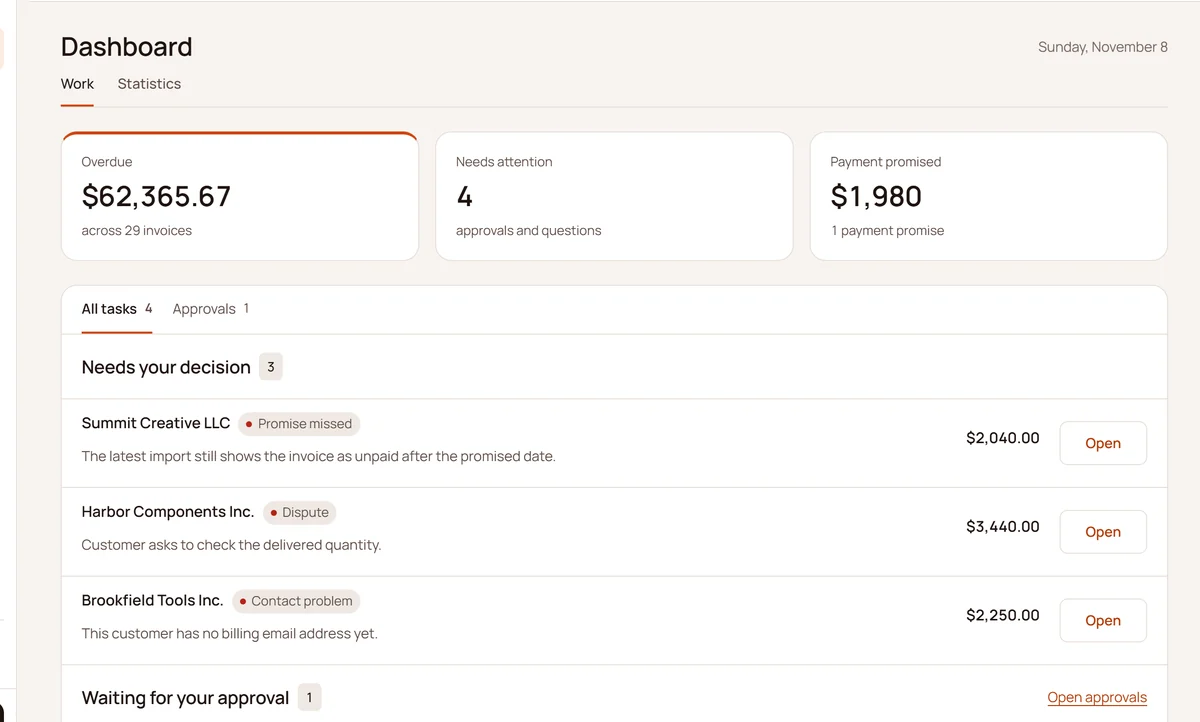
What is overdue, what needs you and what was promised, with the next decisions underneath.

The overview video
TrueDue explained in 36 seconds
From: you
Every reminder leaves your own mailbox, in your name.
15
checks before every send
$0
setup fee on every plan
No limit
on users, on every plan
The math
Manual follow-up burns real money.
Drag to your numbers. If it doesn’t pay off, it says so.
Example calculation
You save per month
$8,198
$98,375 per year · 59% less than doing it by hand
- Lost to manual work per year
- $166,250
- TrueDue Core, first year
- $67,875
Assumes a 25% reply rate (7 min per reply), 30% of the manual work left over and $95.00/hour. Not a quote.
Pricing
One flat price. Unlimited users.
For business customers only. Prices in USD. No VAT is added for businesses outside the EU. Access starts once your first payment is confirmed.
Start
$500/month
No setup fee. Cancel anytime.
- Up to 250 active debtor accounts
- 1 legal entity
- 1 collections mailbox
- Unlimited users
- Standard support
Core
Recommended$1,500/month
No setup fee. Cancel anytime.
- Up to 1,000 active debtor accounts
- 1 legal entity
- 1 collections mailbox
- Unlimited users
- Standard support
Scale
$3,000/month
No setup fee. Cancel anytime.
- Up to 5,000 active debtor accounts
- Up to 3 legal entities
- Up to 3 collections mailboxes
- Unlimited users
- Priority support
30-day money-back guarantee · Terms
Secure checkout via Stripe
More than 5,000 active accounts? Contact us below for a custom quote.
Contact
Talk to us before you decide
Talk to us before you decide

Fabian Lorenz · Founder, Neithra Technologies
Thirteen years in the German police shaped how we work: careful documentation, transparent decisions and discretion with data.
Get in touch
We usually reply within one business day.